Bible verse video
Display Philippians 4:13 over a beach video background.
Create videos from Bible verses, prayers or custom text. Choose a background, add narration, adjust the text and export the video.
Runs in your browser. Free narration and video export.
Let all your things be done with charity.
1 Corinthians 16:14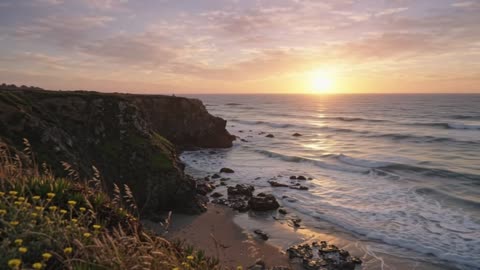
Lord, guide
my steps
today.
Verse and prayer text over beach video backgrounds.
Examples of Bible verse text, prayer text and dedication cards over video backgrounds.
Display Philippians 4:13 over a beach video background.
Combine original or edited prayer text with a video background.
Add a birthday message to an intro or outro card.
Illustrative designs with moving beach scenes and ocean sound. Add your choice of narration in the studio.
Search the KJV Bible, choose a prayer, or enter custom text.
Select a beach video or upload a video for the main scene.
Use text-to-speech or upload audio. Adjust voice and background sound levels.
Create the video in your browser, then download it or use device sharing where supported.
Simple and Advanced controls are available in the editor.
Search by feature or filter by availability. Each entry describes a function of the app.
Search Bible passages, select prayers or enter custom text.
66 books, 1,189 chapters and 31,102 verses bundled with the studio.
Search Scripture by reference, book abbreviation or text.
Choose a book and chapter, then select the passage you want.
Combine verses from one chapter, such as John 3:16–18.
Peace, Strength, Hope, Love, Anxiety, Gratitude, Comfort and Guidance.
Ten prayers in each of eight categories, with related KJV passages.
Switch between the Verse and Prayer launchers and use the same video tools.
Edit a prayer in Advanced; edited wording is labeled Custom prayer.
Write your own message or adapt a verse; edits are clearly labeled Custom text.
Randomly select a verse, font, color, effect and animation.
Use the dice control to change the verse and style, then adjust individual settings.
Search the bundled KJV after it loads, without a Bible API account or key.
Select video backgrounds, upload media and adjust scene settings.
Nine coastal backdrops without captions, plus three captioned source clips under All clips.
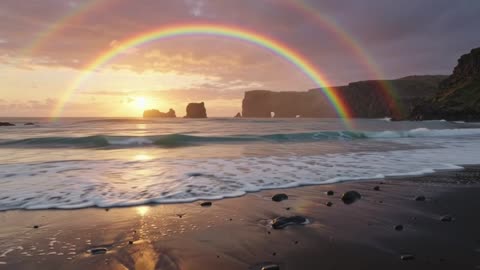
Rocky sunset, Wildflower coast, Rainbow cove, Golden bay, Twilight surf and Sunset tide.
Browse scene thumbnails before loading the selected video.
Upload a video for the main verse or prayer scene.
Choose Aurora, Embers, Starfield or Dusk sea in Advanced.
Adjust the brightness of the background behind the text.
Background videos repeat for the full scene duration.
Use the main scene, another scene, an uploaded photo or video, or a gradient.
Generate speech, upload narration and adjust background audio.
Included text-to-speech audio is added to exported videos; the first setup downloads voice assets.
Select Warm/Bella or Calm/Jasper in Simple mode.
Select from eight voices in Advanced.
An alternative offline speech option is available in Advanced.
Turn spoken narration on or off.
Use a recorded voice or an audio file instead of generated speech.
Connect your own provider key to use your account voices and credits.
Connect your own key and choose supported provider voice settings.
Adjust speech speed and volume, then listen before creating the video.
Hear the source clips’ ocean sound, with a fallback for silent or animated scenes.
Turn beach sound on or off and balance it against narration.
Narration and ambience are mixed into the finished video.
Matching generated audio is reused between Listen, Preview and Create video.
Third-party keys stay in the current tab’s memory.
Adjust fonts, colors, placement, effects and animation.
Apply Classic, Clean or Soft glow.
Cormorant, Lora, Playfair, Georgia, Inter and Palatino.
Choose verse and reference colors separately.
Adjust font size and spacing between lines.
Set centered or left-aligned text and position it within the frame.
Soft shadow, luminous glow, dark outline, a soft panel, or no effect.
Gentle fade, word by word, line by line, typewriter, soft rise, or still.
Adjust reveal speed and effect strength in Advanced.
The preview and exported video use the same drawing system.
The studio respects the device’s reduced-motion preference.
Apply templates and add separately editable opening and closing cards.
Editable designs for intros, verse scenes and outros.
Apply a template for a birthday, dedication or memorial.
Templates set text, background, typography, artwork, motion and timing controls.
Apply a coordinated style across existing clips while preserving their text.
Add either or both around the main content in the preview sequence.
Edit intro and outro messages separately from the main passage.
Adjust each card’s fonts, colors, alignment, effects, artwork and backdrop.
Choose a slow push, a pull back or a still card.
Intro and outro cards start at one second, extend to 12 seconds, and support adjustable fades.
Preview the selected intro or outro card on its own.
Intro, main scene and outro share one timeline; narration begins with the main content.
Save, rename, update, reclassify or delete your own templates on this device.
Back up or transfer individual designs and collections as versioned JSON.
Navigate the wizard, manage local drafts and customize the editor.
Content → Background → Narration & settings → Share.
Switch between basic controls and additional editing settings.
Text, fonts, layout, effects and animation have separate tabs.
Keep the video visible on desktop or use the compact preview on mobile.
Collapse or expand the preview to change the space available for settings.
Move backward, forward or directly between unlocked steps without losing your choices.
Reset content, styling, notes and uploads to an empty starting point.
Reset styling and sound while keeping your selected content and personal note.
Keep selected content, style settings, background choices and notes in this browser.
Change the editor’s appearance independently of your video’s design.
Let the workspace appearance follow your device.
Customize colors, interface fonts, corners, spacing, shadows and workspace backgrounds.
Name and save a custom theme, then import or export it as JSON.
Preview audio and video, create a file, download it or use device sharing.
Choose Phone for vertical video, or switch to Wide or Square.
Hear the voice and ambience before creating the final file.
View media loading and voice-generation progress, with cancellation available.
View preparation, rendering, saving and duration-check progress.
Supported browsers render frames and mix audio offline; other browsers use recording with completion checks.
Partial files are rejected; cancellation or interruption offers a retry.
Successful creation opens the result where you can play, save and share it.
The available file format depends on the browser’s media support.
Save the finished file to your device.
Send the video through your device’s share menu where supported.
Write and copy a companion message without recreating the video.
Follow Photos-to-Messages or Photos-to-Mail GIF walkthroughs.
Changing video settings clears the previously generated video.
Manage backgrounds, prayers, categories and library backups in the app.
Open content and media tools from the toolbar settings icon.
Manage uploaded videos and thumbnails in this browser’s library.
Choose a thumbnail from your video.
Reorder, hide or remove choices from the scene picker.
Edit original prayers and their related KJV passages.
Manage categories and curated verse collections.
Library edits update the content choices in the wizard.
Import or export the library for backup or transfer.
Use a repository-scoped GitHub token to publish shared defaults through the app’s deployment.
Try “voice”, “templates” or “sharing”.
Google sign-in & accounts · Licensing · Automatic email/SMS · YouTube delivery
See the directory for current availability.The free studio includes Scripture and prayers, background scenes, on-device narration, editing and video creation. Third-party voice providers use your own account, API key and credits. App-managed premium services are planned.
Yes. Upload your narration and a video backdrop, and use your photos or videos on intro and outro cards. Quick uploads and finished exports are session-only until you save them. Admin background uploads can be kept in this browser’s library.
Download the video or use the native device share menu where available. The studio includes a personal note and illustrated iPhone guides for sending from Photos through Messages or Mail. MP4 is used when supported, with WebM as a browser-dependent fallback. Automatic email, SMS and YouTube delivery are planned.
Studio settings and selections are remembered in this browser. Personal templates, themes and the content library can be exported for backup or transfer. Cloud project storage is not currently included. Save your finished video before closing the session.